A Guide to the Music Theory Visualizer
A hands-on tour of the Music Theory Visualizer on Crazy Kalakaar. See any scale or chord on a piano or guitar fretboard, hear it at your own tempo, build progressions on the Circle of Fifths, and export print-ready chord charts and reference sheets for lessons.
Mon Jul 13 2026
~ Tanay Toshniwal
Musician Tools
Music Theory
A Guide to the Music Theory Visualizer
Theory has a reputation for being dry, and I think that is mostly because of how it is usually taught: as a wall of terms to memorise before you are allowed to touch an instrument. I have always found it works the other way round. When you can see a scale light up on a fretboard and hear it play back, the names start to stick on their own.
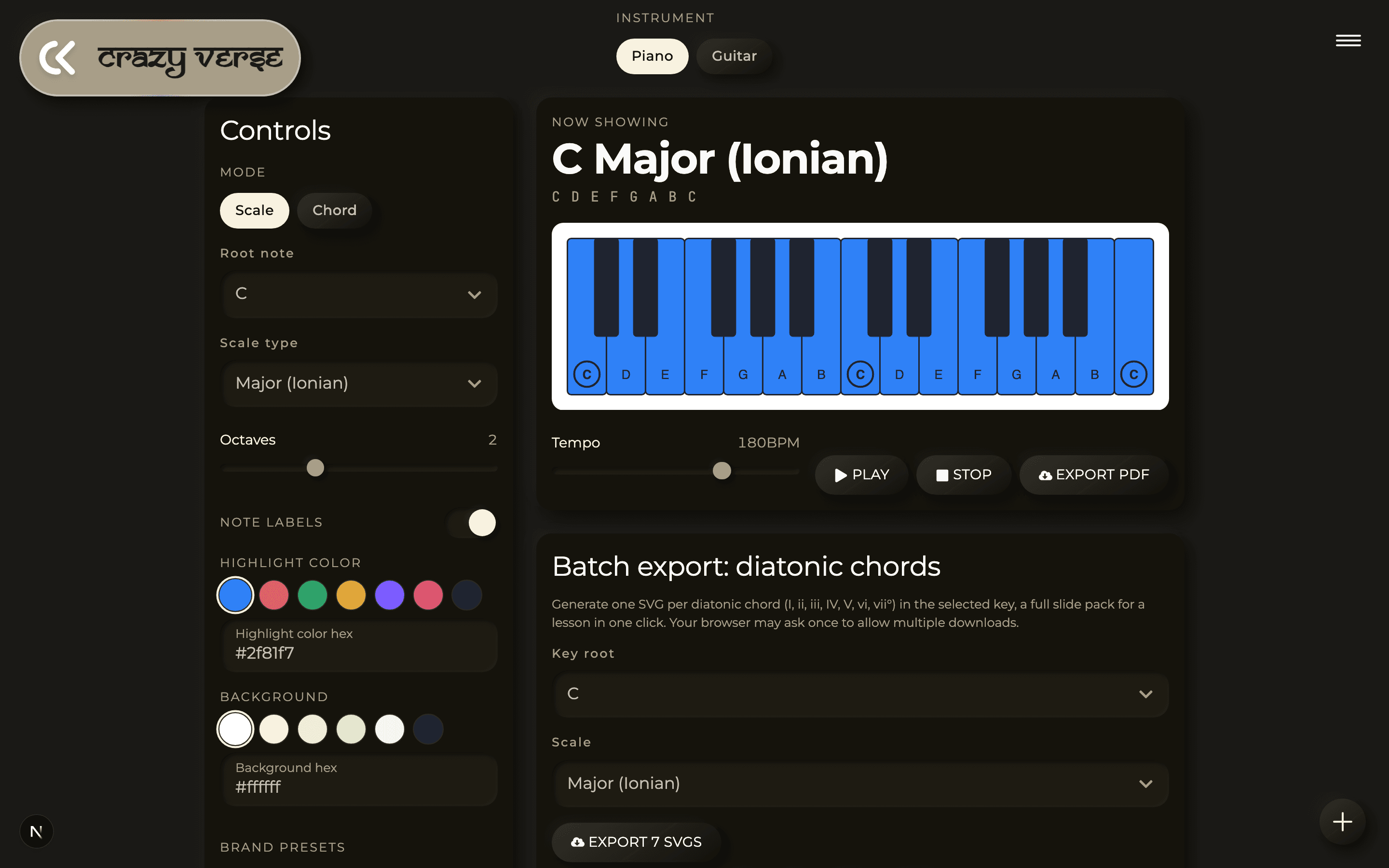
That is the whole idea behind the Music Theory Visualizer. Pick a scale or a chord, see it on a piano or a guitar neck, hear it at whatever tempo you like, and if you teach, export clean charts to hand out. Here is the full tour.
Pick your instrument
Right at the top you choose Piano or Guitar. Everything below adapts to your choice: piano gives you a keyboard with the notes lit up, guitar gives you a fretboard. If you play guitar but think in shapes rather than note names, flipping to the piano view for a moment is a great way to see the same idea laid out in a straight line.
Scales or chords
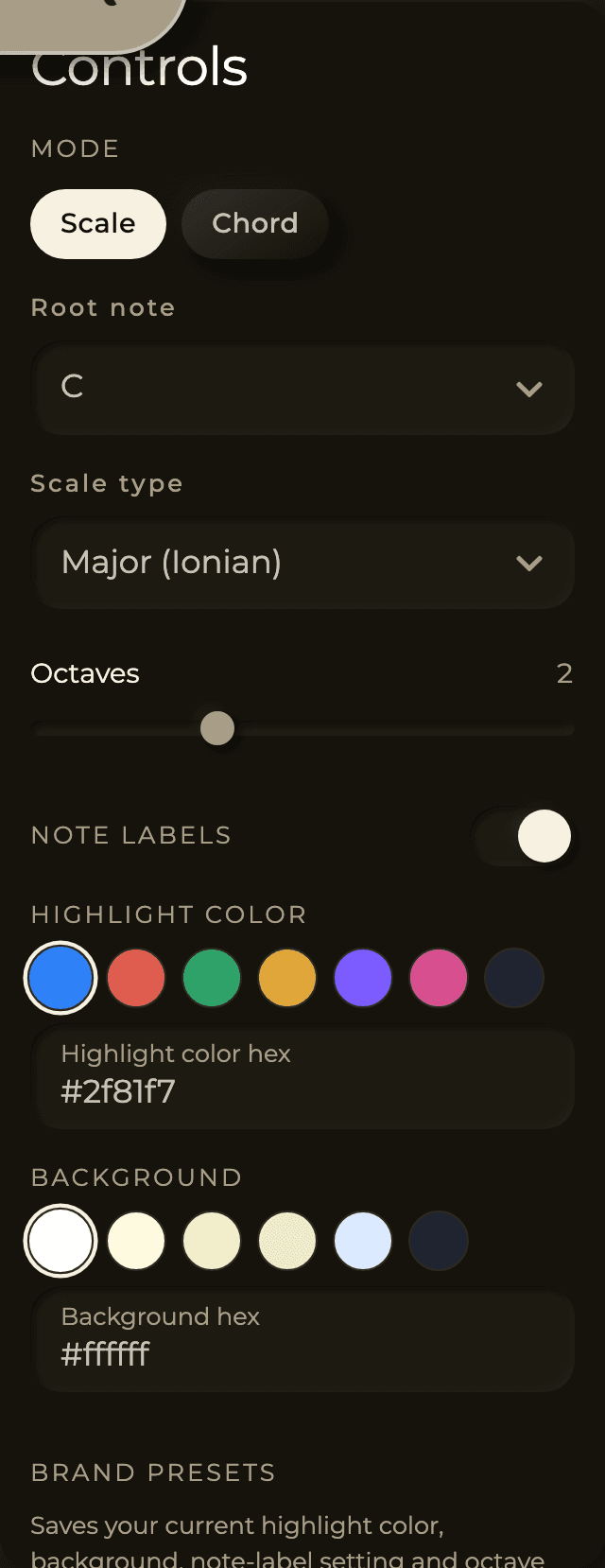
The Mode toggle switches between Scale and Chord. Then you set the Root note, which is the note everything is built from. You have all twelve to choose from: C, Db, D, Eb, E, F, F#, G, Ab, A, Bb, and B.
In Scale mode, the Scale type dropdown covers the ones you will actually reach for, fifteen in total:
- Major (Ionian) and Natural Minor (Aeolian), the two you meet first.
- Harmonic Minor and Melodic Minor, for that classical and jazz colour.
- Major Pentatonic, Minor Pentatonic, and Blues, the bread and butter of solos.
- The modes: Dorian, Phrygian, Lydian, Mixolydian, and Locrian.
- And the more exotic Whole Tone, Chromatic, and Diminished (W-H) for when you want to experiment.
In Chord mode, the Chord quality dropdown gives you fourteen, from the basics to the jazzier voicings: Major, Minor, Diminished (°), Augmented (+), Sus2, Sus4, Major 7th (maj7), Dominant 7th (7), Minor 7th (m7), Half-diminished (m7b5), Diminished 7th (°7), Minor-Major 7th, Major 6th, and Minor 6th.
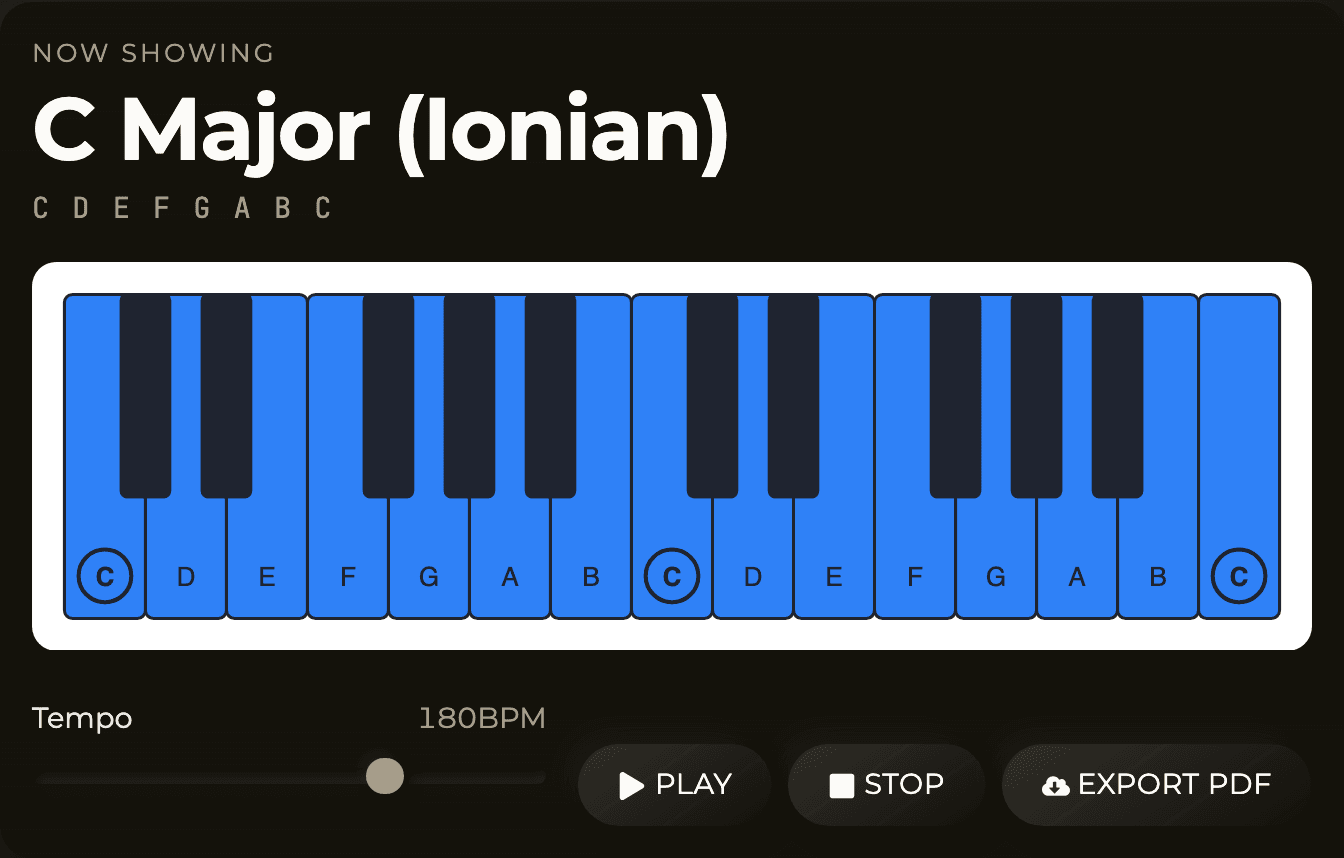
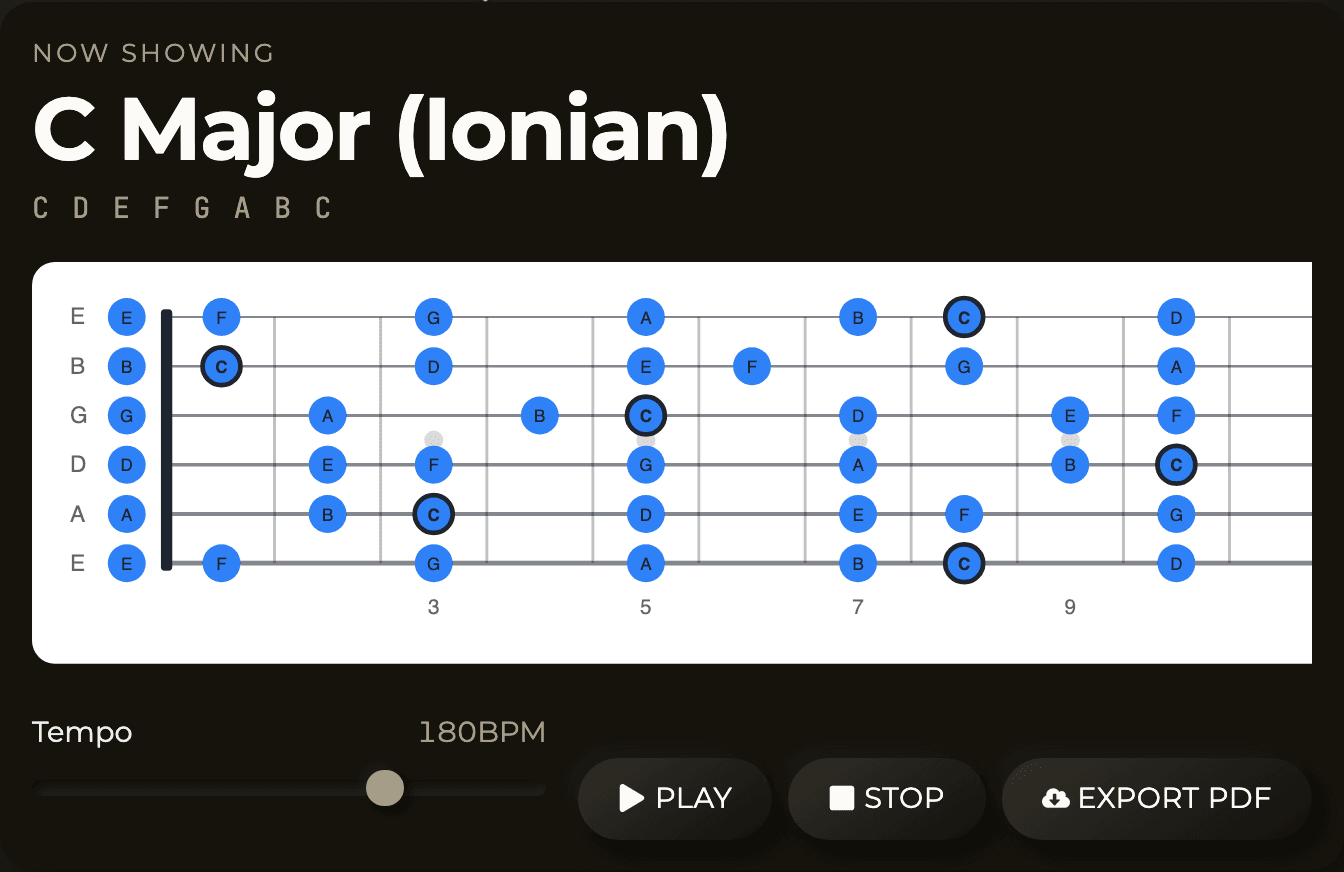
Whatever you pick, a Now showing readout above the diagram names the piece, like "C Major (Ionian)", and spells out the actual notes, so you are never just staring at coloured dots wondering what they are. The root note is marked differently from the rest, with a ring on the piano and an outlined dot on the fretboard, so you can always find your anchor.
Fine-tune the view
The controls shift a little depending on your instrument:
- On piano, chords can be shown in their inversions: Root, 1st inv, 2nd inv, and, for seventh chords, 3rd inv. This is the single best way I know to show a student voice leading, how the same chord can sit in different places so your hand barely moves between changes. You can also set how many Octaves are on screen, from one up to four.
- On guitar, you can set the Fret range to 12, 15, or 22 frets, and switch the Tuning between Standard (EADGBE), Drop D, DADGAD, Open G, and Half-step down. If you have ever wondered why an open tuning makes certain shapes easy, watch how the pattern redraws when you change it.
There is a Note labels toggle to show or hide the names on each note, which is handy when you want to quiz yourself, and a Highlight color and Background picker so the diagram looks the way you want.
Switch the instrument to Guitar and the very same scale redraws across the fretboard, in your chosen tuning and fret range:
Hear it
Seeing is half of it, hearing is the other half. The playback bar under the diagram has a Tempo slider from 40 to 240 BPM and a Play button that walks through the scale, or sounds the chord. For chords you also get a Play as switch between Block (all the notes at once) and Arpeggio (one after another), and a Stop button to cut it off. Play a chord as a block to hear its colour, then as an arpeggio to hear each note in it. Your ears will start to recognise the difference between, say, a major 7th and a dominant 7th much faster than any diagram alone can teach.
Build progressions on the Circle of Fifths
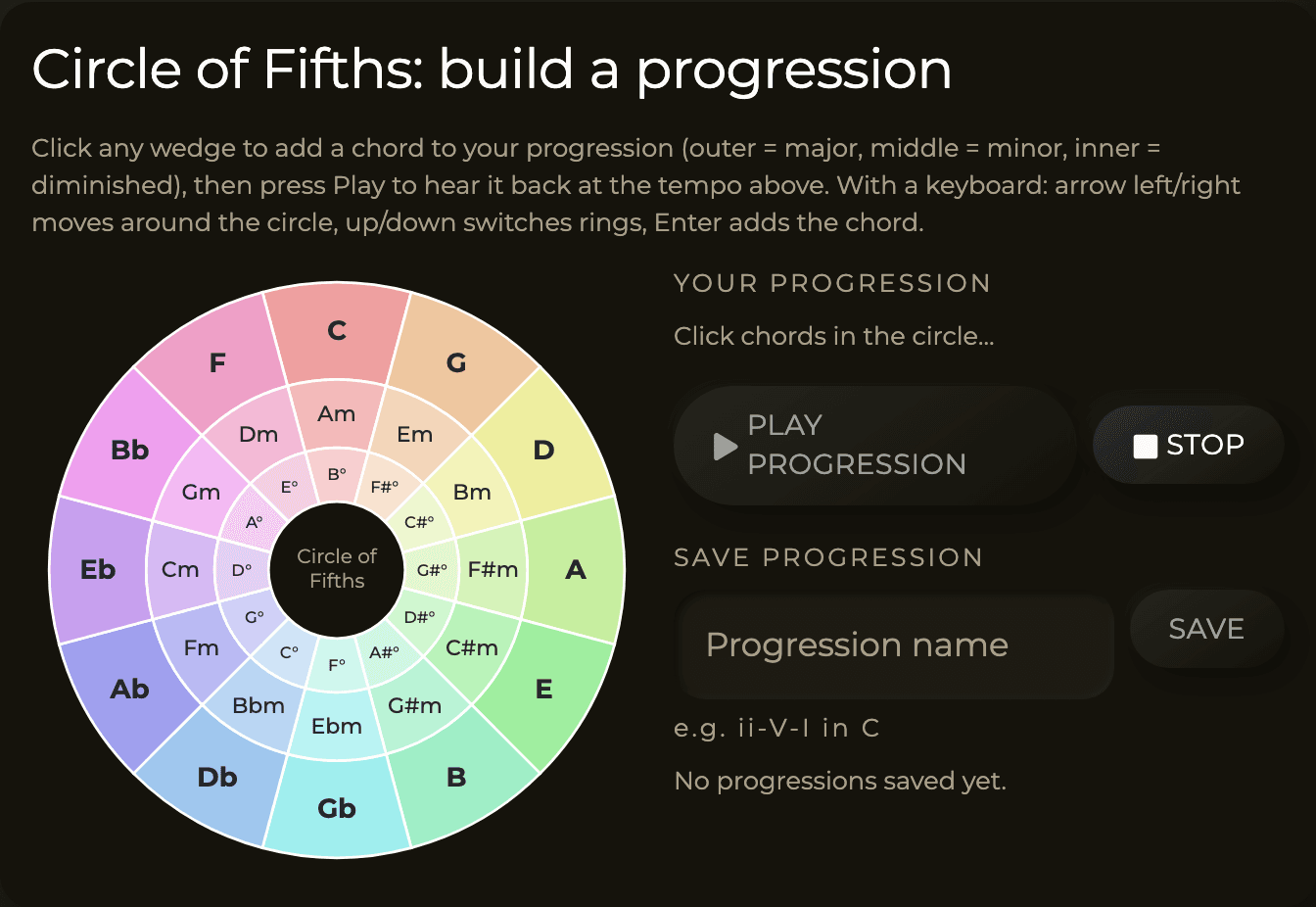
Further down there is an interactive Circle of Fifths. Every wedge is a chord: the outer ring is the major chords, the middle ring is the minors, and the inner ring is the diminished ones. Click wedges to add them to a progression, then press Play progression to hear it back at the tempo you set above. It is fully keyboard-friendly too, with arrow keys to move around the circle and Enter to add a chord.
If you have ever wondered why so many songs use the same handful of chords, spend ten minutes here. Neighbours on the circle sound good together, and building a few progressions by ear teaches that faster than reading about it. You can save any progression you like with a name, so your "ii-V-I in C" is one click away next time.
Export for lessons and print
This is where it goes from a learning toy to a genuinely useful teaching tool. Everything you see can be exported:
- Export PDF turns the current diagram into a clean, print-ready page in your chosen colours.
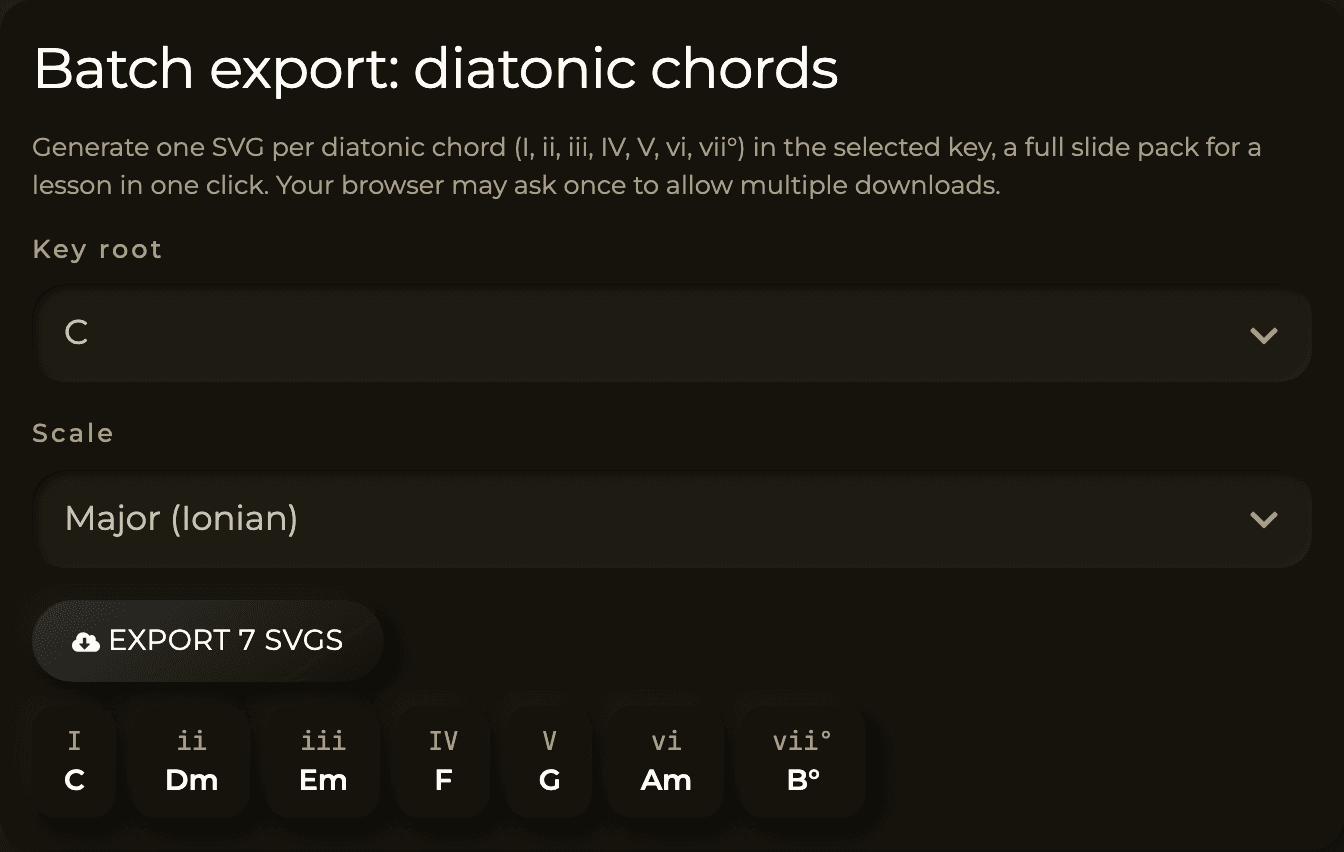
- Batch export creates one SVG for each of the seven diatonic chords in a key (
I,ii,iii,IV,V,vi,vii°), a full chord pack for a lesson in a single click. - Reference sheet PDF gives you one diagram per root across all twelve roots on one document, laid out in one or two columns, a printable cheat sheet.
- Compare on one root stacks several scales or chords on the same root in one PDF, so students can see side by side how, for example, C Major, C Lydian, and C Mixolydian differ by a single note.
A small heads-up: the browser may ask once to allow multiple downloads when you batch-export the SVGs, which is normal. And your colours, presets, and saved progressions are stored on your device, so the tool remembers your setup between visits.
How I actually use it
A workflow I come back to constantly:
- Learn the shape here first. Pick the scale or chord, turn on note labels, and play it back a couple of times so your ear and eye agree on what it is.
- Take it to the instrument. If you are working from a song, my guide on reading guitar tabs covers turning those dots into actual playing.
- Drill it in time. Once the notes are under your fingers, run them against a click. My metronome guide lays out a slow-to-fast routine that works well for scales and arpeggios.
- Understand the why. When a lick sounds right over a chord, drop both into the visualizer and see which notes they share. That "oh, that is why" moment is the whole reason theory is worth learning.
Go play with the Music Theory Visualizer. Even fifteen minutes of clicking around and listening will teach you something you can use in your next practice session.
If this helped, do LIKE - SHARE - SUBSCRIBE on my Youtube Channel, where I put theory to work on real songs instead of leaving it on the whiteboard.
Peace ✌️
Get new posts by email
Guitar, theory, and the occasional detour. No spam, unsubscribe any time.